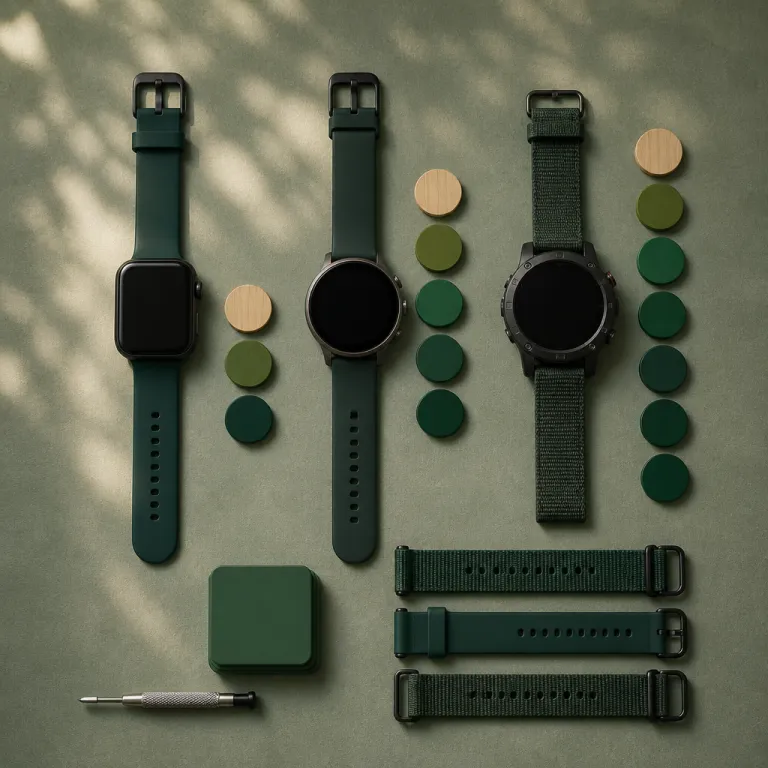
Why smartwatch software update support years matter more than specs
When you buy a smartwatch, the real clock ticking is software support. A bright AMOLED screen and stainless steel case mean little if the operating system stops receiving updates while the battery life is still healthy. For anyone planning three to five years of smartwatch software support, the long-term update lifespan matters more than raw hardware numbers.
On your wrist, the watch becomes an extension of your phone, your wallet and your health tracker. That means the operating system, the watch app ecosystem and the way live updates arrive from your phone all shape how useful the device feels after the honeymoon period. A neglected watch with no new version of its system quickly turns into a notification buzzer rather than a serious health and media companion.
Security is the quiet reason software support seasons matter so much. When a watch stops receiving security updates, every tap to approve a payment or every use of media controls over Bluetooth carries more risk. If you care about contactless payments, health data and messages, you should care even more about how many years of operating system updates or security patch cycles each brand promises.
Apple, Samsung, Garmin and Google all talk loudly about sensors and battery life, but their policies on updates differ sharply. Apple Watch models usually receive a major watchOS update for roughly five seasons, while Samsung Galaxy Watch and Pixel Watch lines sit closer to three or four. Garmin does not publish strict timelines, yet its higher end devices often receive feature updates long after launch, even if the cadence slows.
For buyers comparing Apple Watch versus Android wear devices, this gap in support can be the deciding factor. A cheaper watch with only two or three years of firmware and security updates might cost more over time if you replace it early. The smartest move is to treat software support like a core spec, right beside GPS accuracy and rated battery life.
Apple Watch: the longest software support seasons in the game
Apple Watch sets the benchmark for long-term smartwatch software support among mainstream brands. Recent models such as Apple Watch Series 6 still run the latest watchOS version, with live updates arriving on day one alongside iPhone releases. Looking at Apple’s own watchOS compatibility lists, an Apple Watch buyer can reasonably expect around five seasons of major updates plus security patches, which is longer than most Android wear competitors.
Because Apple controls the hardware, operating system and watch app ecosystem, it can keep feature parity across supported devices for longer. When a new watch face style, redesigned tiles or improved media controls arrive, they usually land on several older Apple Watch models at the same time. For users, that consistency makes an older watch feel less obsolete, even when the battery life has dipped slightly and the power button has seen heavy use.
Apple’s tight integration also affects how third party developers maintain their watch app offerings. A single watchOS software development kit lets developers who also target iOS plan long term support, instead of juggling fragmented wear update policies. That stability encourages better watch app design, more reliable live updates and more polished complications on every watch face you choose.
If you are already deep in the Apple ecosystem, software support seasons become part of a bigger lock in story. Switching from Apple Watch to a Samsung Galaxy Watch or a Garmin Forerunner later can mean losing features, paid apps and familiar tiles, as explained in this detailed guide on ecosystem lock in costs when moving between smartwatch brands. That is why many iPhone users accept paying more upfront for an Apple Watch, knowing the multi year watchOS support window will likely outlast cheaper rivals.
For someone planning to wear the same watch daily for several years, Apple’s track record is hard to ignore. You get long term watchOS support, predictable live updates and a clear sense that your watch will not become a paperweight after only a couple of seasons. If you value stability over experimentation, Apple Watch remains the safest bet for extended software support.
Samsung Galaxy Watch and Pixel Watch: Android wear support in practice
On the Android side, Samsung Galaxy Watch and Google Pixel Watch share the Wear OS platform but handle smartwatch software support years differently. Samsung now promises around four seasons of Wear OS updates and security patches for recent Galaxy Watch models, an improvement over older Tizen based watches that lost support earlier. Pixel Watch devices, by contrast, usually receive three guaranteed years of updates, matching Google’s phone policy more than Apple’s longer watchOS window.
In daily use, that means a Galaxy Watch 6 or Pixel Watch 2 should stay current through several Android version cycles. You will keep getting new tiles layouts, refined media controls and better Google Assistant performance as wear update packages roll out. However, once those promised seasons end, you may still wear the watch comfortably, but you will no longer see live updates or critical security fixes through Google Play.
Because Wear OS depends heavily on the phone side, the relationship between Android, Google Play and the watch app ecosystem matters. A Wear OS watch pulls many features from the companion wear app on your phone, including watch face galleries, fitness sync and Google Assistant settings. When Android developers stop targeting older Wear OS versions, your watch might still boot, yet newer watch app releases in the Play Store will quietly skip your device.
There is also the question of fragmentation across wear devices from different brands. A Samsung Galaxy Watch might receive a wear update earlier than a Fossil watch, even though both rely on the same core operating system from Google. That inconsistency makes it harder for users to predict how many effective years of Wear OS support they will truly enjoy beyond the official promise.
If you pair an Android phone with a Wear OS watch, you should still check compatibility limits carefully. Some buyers even ask whether they can use an Apple Watch with Android phones, which remains unsupported as explained in this guide on pairing Apple Watch with Android devices. For most Android users, the safest route is choosing a Galaxy Watch or Pixel Watch with clearly stated update timelines and accepting that support seasons will be shorter than on Apple’s side.
Garmin and rugged watches: long life, fuzzier software timelines
Garmin plays a different game, especially with rugged multisport watches that can physically last a decade. Flagship lines such as Fenix and Forerunner often receive new features and firmware updates for three to five seasons, even if Garmin never publishes strict smartwatch software update support years. Budget models like the Forerunner 55 or Venu Sq usually see shorter feature support, closer to two or three seasons before updates slow.
Because Garmin uses its own operating system instead of Wear OS or watchOS, it controls the entire stack from GPS algorithms to watch face rendering. That lets Garmin push targeted updates, such as improved heart rate variability tracking or new training readiness metrics, long after launch. However, the absence of a formal end of support date means users must watch firmware release notes and community forums to gauge when their devices are aging out.
For people who prioritize durability, Garmin’s hardware often outlasts its software ambitions. A Fenix watch can keep excellent battery life and reliable GPS long after the last major firmware update, especially if you disable constant live updates and limit background sync. In that sense, the watch remains useful as a training tool, even when newer Garmin devices receive more advanced metrics and smarter media controls.
If you are considering a rugged smartwatch for hiking, trail running or work in harsh environments, it is worth reading independent tests of long term performance. Resources such as this curated list of top rugged smartwatches for demanding conditions can help you balance hardware toughness against likely software support seasons. The key is accepting that Garmin’s flexible approach to updates trades guaranteed timelines for occasional pleasant surprises when new features arrive unexpectedly.
Compared with Apple Watch or Samsung Galaxy Watch, Garmin’s ecosystem feels more like a traditional sports watch world with smart layers added. You get strong offline performance, long battery life and robust physical buttons, but fewer polished watch app experiences and less emphasis on Google Assistant or Google Play. For some users, that trade off is perfect; for others, the fuzziness around long term update policies and lack of fixed guarantees is a deal breaker.
How to check real support seasons before you buy
Most buyers never read the fine print on smartwatch software update support years, yet the information is usually available. Apple lists which Apple Watch models support each new watchOS version on its website, while Samsung and Google publish update policies for Galaxy Watch and Pixel Watch lines. Garmin shares firmware histories and feature roadmaps in support pages and forums, though without hard end dates.
Before you tap the buy button, check three things for any watch you are considering. First, confirm the operating system version it ships with and whether a newer update is already available, which reveals how quickly the brand pushes live updates. Second, look for an official statement on how many seasons of updates and security patches the watch will receive, especially for Wear OS devices sold through the Play Store.
Third, scan recent user reports about update reliability, because a promised wear update is useless if it never arrives on your wrist. Some Galaxy Watch owners, for example, receive updates weeks before others in the same region, depending on carrier and model. Pixel Watch users often see faster rollouts, but they also report occasional bugs that require a quick follow up update from Google.
It is also worth checking how actively developers support the watch app ecosystem around your chosen platform. A healthy flow of new watch face designs, fitness apps and media controls integrations in Google Play or the Apple App Store signals long term interest from Android developers and iOS teams. When that flow dries up, even a technically supported watch can feel stale, because the most interesting features live inside third party apps.
Finally, remember that hardware and software age differently. A watch with a strong battery life, a responsive power button and a comfortable strap can still feel modern if the operating system receives regular updates. The real test of value is not the launch day spec sheet, but how the watch behaves on your tenth morning of tracked sleep, when the novelty has faded and only consistent support remains.
FAQ
How many years of updates does an Apple Watch usually receive ?
Recent Apple Watch models typically receive around five seasons of major watchOS updates plus security patches. That estimate comes from comparing Apple’s watchOS release notes with the list of compatible models over time. Older watches eventually stop receiving new features but often keep basic functionality for longer.
How long will a Samsung Galaxy Watch or Pixel Watch get Wear OS updates ?
Newer Samsung Galaxy Watch models generally receive about four seasons of Wear OS updates and security fixes, based on Samsung’s published update commitments for recent devices. Google Pixel Watch devices usually have three guaranteed years of updates, similar to Pixel phones. After those periods, the watches may still work but will no longer receive new features or critical patches.
Does Garmin guarantee specific smartwatch software update support years ?
Garmin does not publish strict end of support dates for most watches. Flagship lines such as Fenix and Forerunner often receive feature updates for three to five seasons, as seen in their firmware history pages, while budget models see shorter timelines. Once updates slow, the watches remain usable, especially for sports tracking, but miss newer training metrics.
How can I check if a smartwatch is still supported before buying used ?
Start by checking the manufacturer’s support page to see whether the latest operating system version is available for that model. Then read recent firmware release notes or community discussions to confirm updates are still arriving. If the last update is more than a year old, you should assume support is nearing its end.
Is it safe to keep wearing a smartwatch after software support ends ?
You can usually keep wearing an unsupported watch for basic tracking and offline features. The main risk is that security vulnerabilities will no longer be patched, especially for payments and connected services. If you rely on contactless payments or sensitive health data, upgrading to a supported model is the safer choice.