


What is the fitbit api and why does it matter?
Why the Fitbit API is Essential for Your Smartwatch
The Fitbit API is the backbone that allows your Fitbit device to communicate with apps and services, making your smartwatch experience seamless and interactive. When you track your steps, monitor your heart rate, or log your sleep, the Fitbit API is quietly working in the background, transferring data from your device to the Fitbit app and other connected applications. This web API is what enables your device to share information such as calories burned, water intake, and intraday activity data in real time.
How Data Moves from Device to Application
Every time you sync your Fitbit device, the API collects and organizes your data—like heart rate time series, sleep logs, and steps—so it can be accessed by the Fitbit app or other approved applications. The API uses secure protocols, including OAuth tokens, to ensure only authorized apps can access your data. This means your device data, whether it’s your daily steps, sleep data, or heart rate, is protected while being made available for analysis and insights.
- Data Types: The API supports a wide range of data types, including intraday data, sleep data, and heart rate time series.
- Access and Requests: Developers and apps can request specific data, such as minutes active or calories burned, using the correct API endpoints and tokens.
- Order and Structure: Data is organized in a way that makes it easy for applications to display trends over time, like your sleep patterns or activity rates.
Understanding how the Fitbit API works is key to getting the most out of your Fitbit device. If you ever run into issues syncing your device or accessing your data, learning how to restart your Fitbit effectively can often resolve common problems and ensure your data continues to flow smoothly between your device and the app.

How the fitbit api connects your smartwatch to apps
How Your Fitbit Device Shares Data with Apps
When you wear a Fitbit device, it constantly collects data like steps, heart rate, calories burned, sleep patterns, and even water intake. But how does this information move from your wrist to the apps you use daily? The answer lies in the Fitbit API, a set of tools that lets applications securely access your device data in real time.
From Device to Application: The Data Flow
- Data Collection: Your Fitbit device tracks metrics such as heart rate, steps, sleep, and calories burned throughout the day.
- Syncing: This data is synced to Fitbit’s servers, usually via Bluetooth and your smartphone.
- API Requests: Applications—like fitness apps or health dashboards—send requests to the Fitbit Web API using a unique URL and an OAuth token for secure access.
- Data Access: The API provides different types of data, including time series (e.g., steps per day), intraday data (e.g., heart rate per minute), and sleep logs.
- Integration: The application Fitbit uses the API to display your stats, analyze trends, or combine your Fitbit data with other health information.
Types of Data Shared via the Fitbit API
The API fitbit supports a wide range of data types, giving users and developers flexibility. Here are some key examples:
| Data Type | Example | How Often |
|---|---|---|
| Steps | Daily totals, minute-by-minute | Intraday, time series |
| Heart Rate | Resting, active, rate time | Intraday, time series |
| Sleep Data | Sleep log, stages, duration | Daily |
| Calories Burned | By activity, by day | Intraday, time series |
| Water Intake | Ounces per day | Daily |
Ensuring Secure and Orderly Data Access
Every request fitbit makes to the API uses OAuth for authentication, ensuring your data stays private. The API also manages the order and type of data shared, so only authorized apps can access specific information. This is crucial for protecting data participants and maintaining trust in the Fitbit ecosystem.
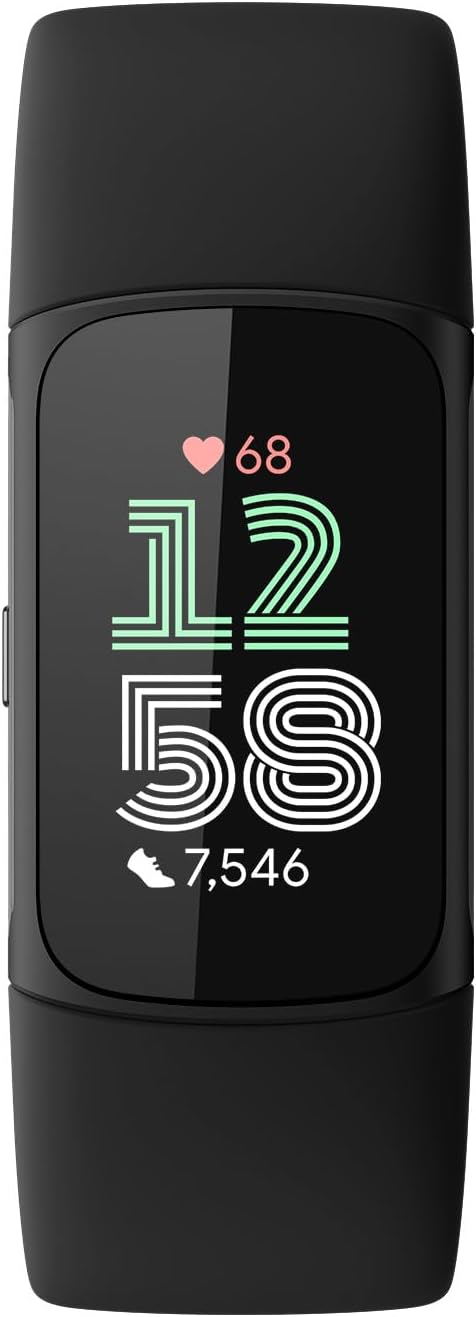
For a closer look at how the latest Fitbit devices, like the Charge 7, use these API features to enhance your experience, check out this in-depth review of the Fitbit Charge 7 features.
Key features of the fitbit api for users
Essential Fitbit Data at Your Fingertips
The Fitbit API is designed to give users and developers access to a wide range of health and activity data collected by your Fitbit device. This means you can view, analyze, and use your personal metrics in ways that go beyond the standard Fitbit app. Whether you are interested in tracking your heart rate, monitoring your sleep, or keeping an eye on your daily steps, the API makes this information accessible and actionable.
- Heart Rate Monitoring: The API provides detailed heart rate data, including rate time series and intraday data. This allows applications to display your heart rate trends over minutes, hours, or days, helping you understand your cardiovascular health better.
- Sleep Tracking: With access to your sleep log and sleep data, the API enables deeper analysis of your sleep patterns. You can review how much time you spend in each sleep stage, and even compare your sleep quality over time.
- Activity and Steps: The API delivers step counts, calories burned, and activity minutes. This helps you set goals and monitor your progress, whether you are training for a marathon or just aiming to stay active.
- Water and Nutrition: You can log water intake and nutrition data, making it easier to maintain healthy habits directly from your favorite application fitbit or third-party app.
How the API Delivers Data
Fitbit’s web API uses secure authentication (OAuth token) to ensure only authorized applications can access your data. Once connected, apps can send requests fitbit to retrieve device data, such as time series for steps or heart rate, or even intraday data for more granular insights. The API’s structure is organized by resource type and url, making it straightforward for developers to access the specific data fitbit users want to see.
| Data Type | Example Use | Access Method |
|---|---|---|
| Heart Rate | Track rate time during workouts | Intraday endpoint |
| Sleep Log | Analyze sleep stages | Sleep endpoint |
| Steps | Monitor daily activity | Time series endpoint |
| Calories Burned | Compare calories over time | Activity endpoint |
| Water Intake | Track hydration habits | Nutrition endpoint |
Why This Matters for Your Smartwatch Experience
By leveraging the Fitbit API, users gain more control over their health data and can integrate it with other services or applications. This flexibility is especially valuable for those who want to customize their wellness journey or use advanced analytics. For a broader perspective on how smartwatches can be versatile in tracking and presenting data, you might find this closer look at a versatile smartwatch insightful.
Integrating third-party services with your fitbit smartwatch
Connecting Your Fitbit Device to Other Services
One of the most powerful aspects of the Fitbit API is its ability to let your Fitbit device interact with a wide range of third-party applications and services. This means you can do much more than just track your steps or monitor your heart rate. By allowing secure access to your Fitbit data, you can unlock new features and insights from other apps you already use or want to try.
How Integration Works
To connect your Fitbit device to another application, the process usually involves the OAuth protocol. This ensures your data stays secure while granting limited access to the third-party app. Once authorized, these apps can access various types of Fitbit data, such as:
- Steps and activity data
- Heart rate and intraday heart rate time series
- Sleep logs and sleep data
- Calories burned
- Water intake
Developers use the Fitbit Web API to make requests for this data. Each request is authenticated with a token, and the type of data accessed depends on the permissions you grant. For example, a nutrition app might only need your calories burned and water intake, while a fitness app could request steps, heart rate, and sleep data.
Popular Use Cases for Third-Party Integrations
- Health and wellness apps: Sync your Fitbit sleep log and heart rate data to get personalized recommendations for better rest or stress management.
- Productivity tools: Use your step count or activity minutes to unlock rewards or track progress toward daily goals.
- Medical research: Some studies use Fitbit data from participants to analyze trends in activity, sleep, or heart rate over time, always with user consent and privacy controls.
Managing Your Data and Permissions
Fitbit gives you control over which apps can access your data and what type of data they can see. You can review and revoke permissions at any time through your Fitbit account settings. This ensures your device data remains private and only shared with trusted applications.
Technical Details for Developers
For those interested in building their own integrations, the Fitbit API documentation provides detailed information on endpoints, such as /activities/steps/date/today/1w.json for step data or /sleep/date/today.json for sleep data. Developers can request intraday data, time series data, and more, depending on the application's needs and the user's consent.
Privacy and security considerations with the fitbit api
How Fitbit Protects Your Data
When using a Fitbit device, your personal data—like heart rate, sleep log, steps, and calories burned—travels through the Fitbit API. This means your information is shared between your device, the Fitbit app, and any connected third-party services. Fitbit uses encryption and secure protocols to protect this data as it moves across the web API. For example, when you access your sleep data or intraday heart rate through an application, the API ensures that the data is only available to authorized users and apps.
Authentication and Access Controls
To keep your information safe, Fitbit uses OAuth 2.0. This authentication method requires apps to request permission before accessing your data. You control which apps can access your Fitbit data, and you can revoke access at any time. Each app receives a unique token, which limits what type of data it can see—such as time series data, water intake, or intraday steps. This helps prevent unauthorized access to your device data and keeps your information private.
Transparency and User Control
Fitbit gives you the ability to manage your data sharing preferences. You can review which applications have access to your Fitbit data and decide the order and type of data shared, such as sleep data or heart rate time series. If you participate in studies or share data with third-party services, Fitbit ensures you are informed about what data is collected and how it is used. This transparency builds trust and helps you make informed choices about your privacy.
Data Retention and Deletion
Fitbit allows you to delete your data or disconnect your device from the API at any time. When you remove access for an app, its token is revoked, and it can no longer make requests to the Fitbit API for your data. This gives you control over your digital footprint and ensures that your personal information is not kept longer than necessary.
Best Practices for Users
- Regularly review which apps have access to your Fitbit data
- Use strong, unique passwords for your Fitbit account
- Be cautious when granting access to new third-party applications
- Check privacy policies of any app that requests your Fitbit data
By understanding how the Fitbit API manages privacy and security, you can confidently use your Fitbit device and connected applications while keeping your health data safe.
Future possibilities with the fitbit api
Expanding the Capabilities of Fitbit Data
The Fitbit API continues to evolve, opening up new opportunities for both users and developers. As wearable technology advances, the demand for more detailed and accessible data grows. The API already allows access to a wide range of metrics, including heart rate, steps, calories burned, sleep data, and water intake. With the rise of health-focused applications, the ability to analyze intraday data—such as heart rate time series or sleep log details—becomes increasingly valuable for personalized insights.
Greater Integration and Personalization
Looking ahead, the integration of third-party services with Fitbit devices is likely to become even more seamless. Developers are exploring ways to combine data from multiple sources, such as other fitness trackers or health apps, to provide a more comprehensive view of wellness. Enhanced OAuth protocols and secure token management will ensure that users can safely grant access to their device data, while maintaining control over what information is shared and how it is used.
Real-Time Analytics and User Engagement
One of the most promising areas for the Fitbit API is real-time analytics. As the API improves, applications may be able to deliver instant feedback based on live heart rate, activity, or sleep patterns. This could help users make timely decisions about their health, such as adjusting their activity level or sleep schedule. The ability to request intraday data at the minute level, or even finer granularity, will support more dynamic and interactive experiences within application Fitbit ecosystems.
Supporting Research and Health Initiatives
The API is also playing a growing role in research. By allowing secure access to anonymized data participants, researchers can analyze trends in steps, calories burned, sleep quality, and other metrics across large populations. This supports the development of new health guidelines and interventions, while respecting privacy and data security standards. As more organizations adopt the API Fitbit for health studies, the potential for positive impact increases.
Continuous Improvement and Community Feedback
Fitbit regularly updates its web API based on feedback from developers and users. This ongoing process ensures that the API remains relevant and useful as technology and user needs change. Whether it’s adding new endpoints for device data, improving the reliability of requests Fitbit, or enhancing support for different data types, the focus is on delivering a better experience for everyone involved.